Made for Indian study libraries

Run your whole library from your phone.

Members, seats, monthly fees, books & reports — in one simple app built for study libraries, reading rooms & self-study halls.

1000+ happy owners Free 12-hour demo
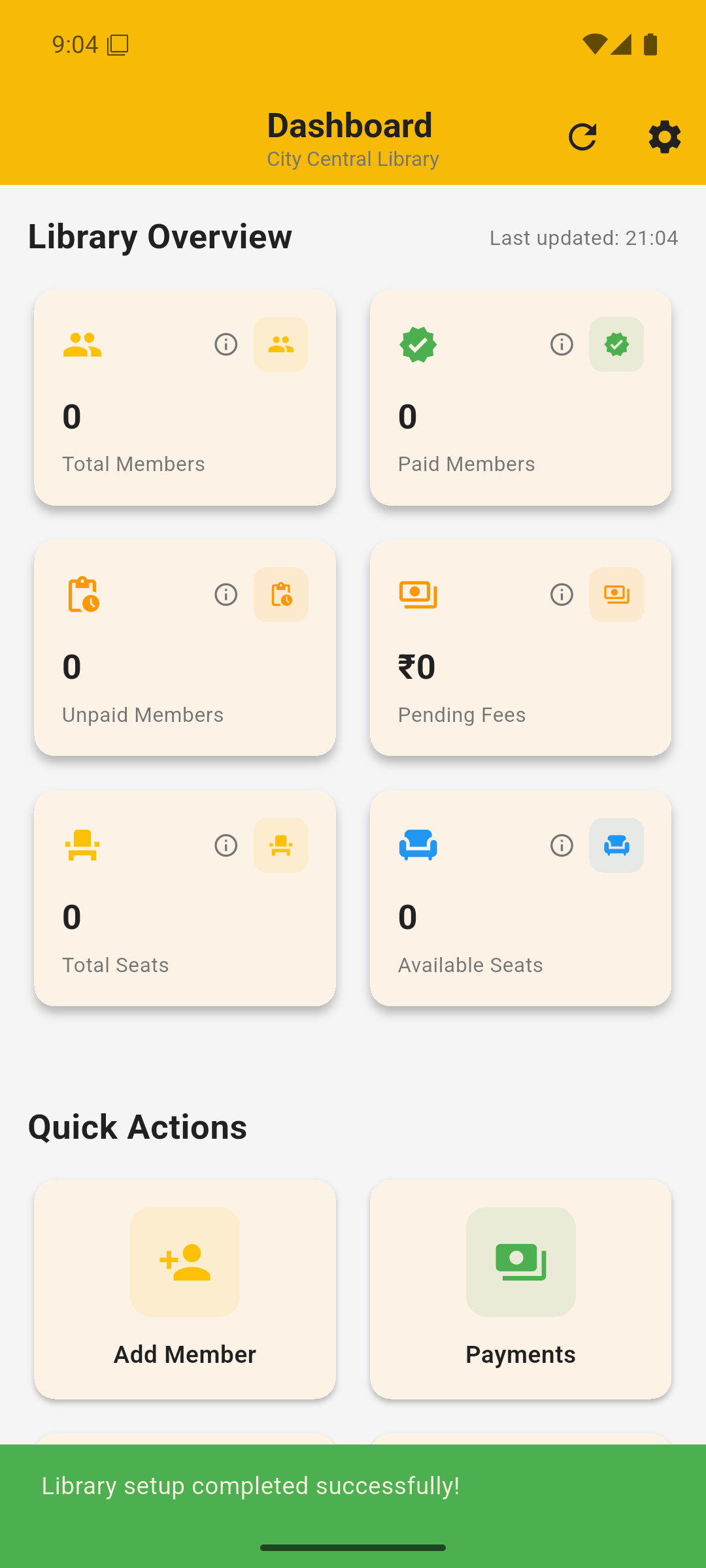
AVS Library Manager dashboard showing members, seats and pending fees
₹0 lostEvery fee tracked
LiveSeat occupancy
Made for Indian study libraries

Your study library, finally organised.

Stop juggling registers and Excel. Track members, seats, monthly fees, books and profit — all from one app in your pocket.

Your data stays safe
AVS Library Manager dashboard
Members · Seats · Fees · Books · Reports

The simplest way to run a study library.

One app for everything — add members, set up seats in seconds, track every monthly fee, manage books and see your profit. Made for Indian libraries.

Trusted by 1000+ owners
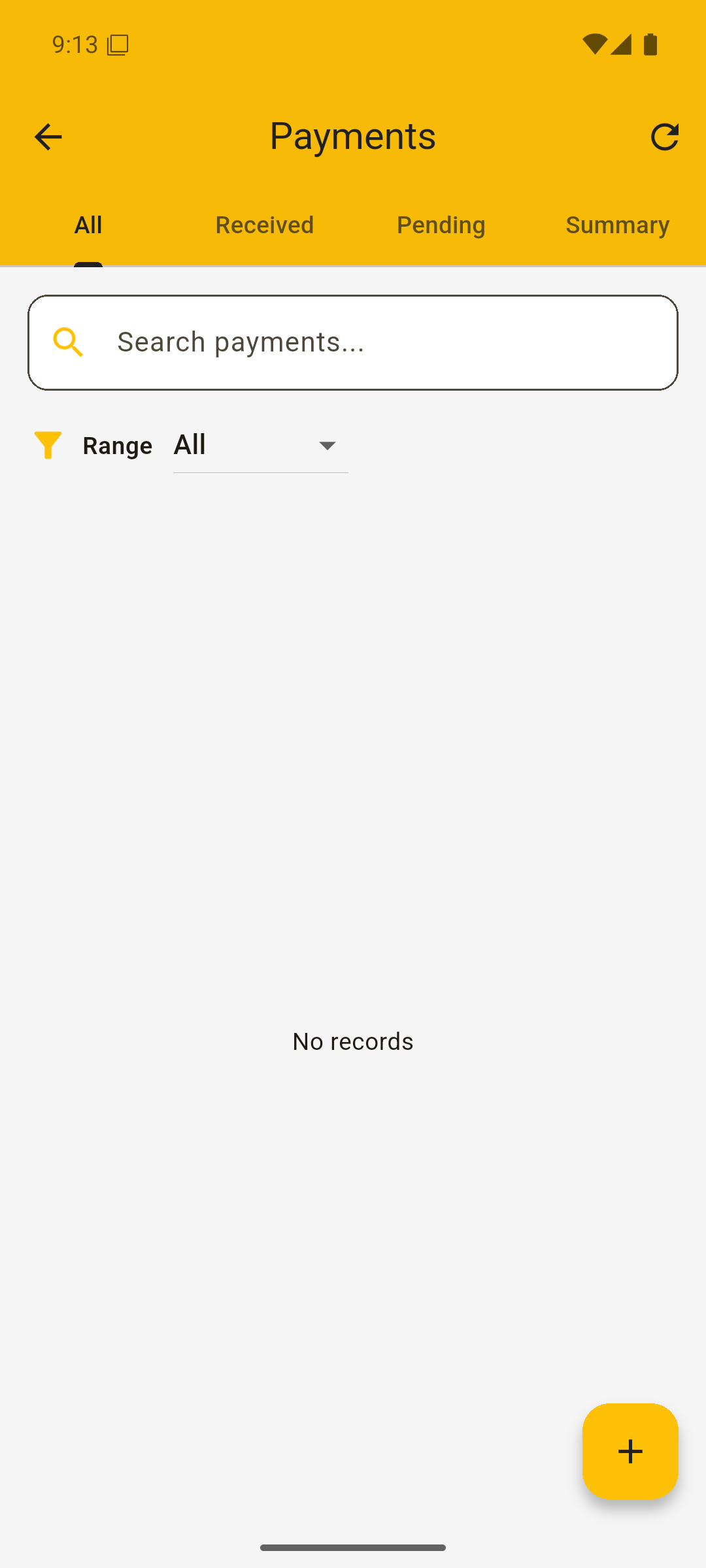
Payments screen
Dashboard
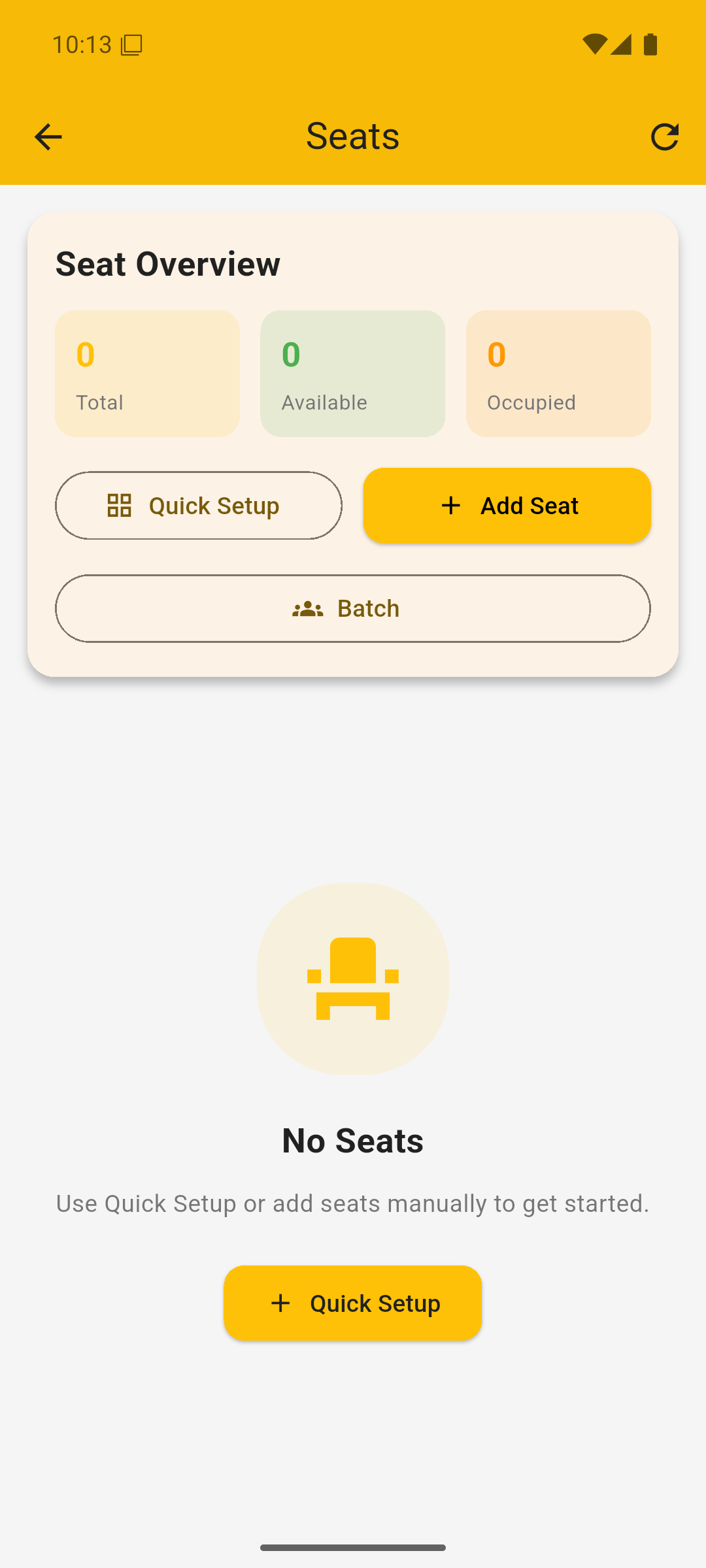
Seats screen
1000+
Happy library owners
Android & iOS
Free to download
₹ ready
Made for India
Your data
Export & backup anytime
Why switch

Still running your library on registers & Excel?

The old way

  • Paper registers that get lost or torn
  • Forgetting who paid this month's fee
  • No idea which seats are free right now
  • Hours adding up totals by hand

With AVS Library Manager

  • Every member & record in one app
  • Paid / unpaid / pending at a glance
  • Live seat occupancy, always current
  • Revenue, expenses & profit auto-calculated
One app · everything your library needs
01 — MEMBERS

Member management with custom fields

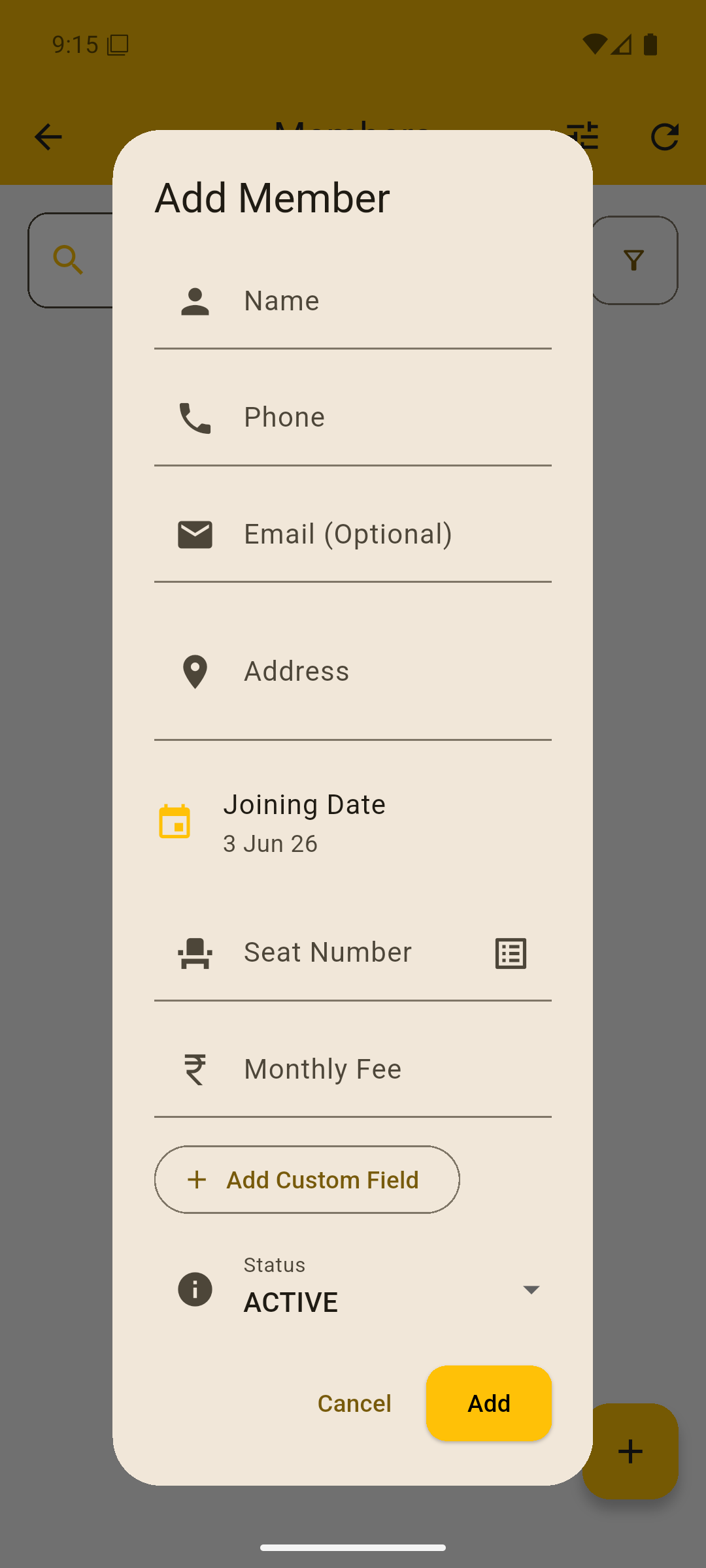
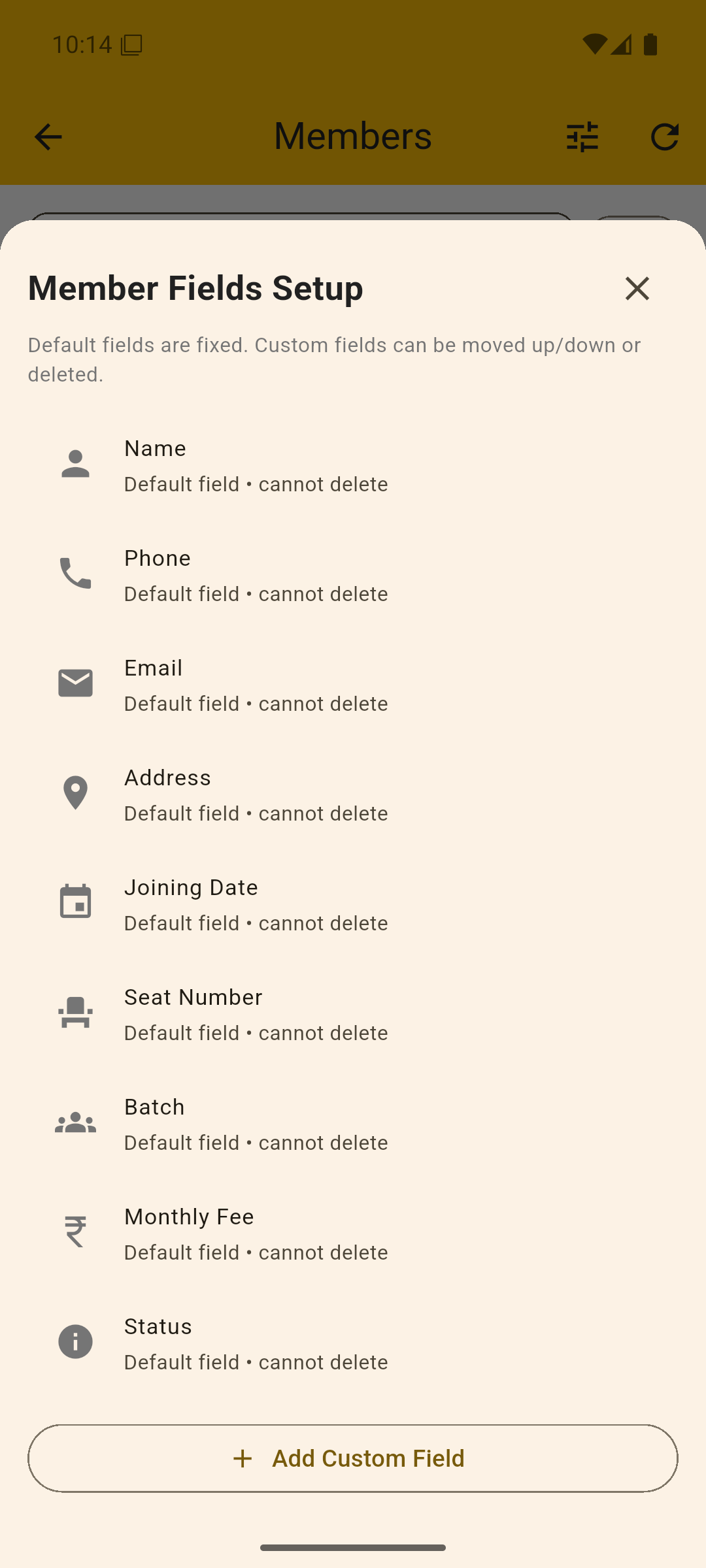
Add members with name, phone, email, address, joining date, seat number, batch, monthly fee and status — and add your own custom fields to fit exactly how your library works.

  • Default fields for seat, batch & monthly fee
  • Create custom fields in Member Fields Setup
Add member form with name, phone, seat number and monthly fee
02 — SEATS

Seat management for reading rooms

See Total, Available and Occupied seats live. Use Quick Setup to bulk-create dozens of seats in seconds — perfect for self-study halls and reading rooms.

  • Bulk-create many seats with Quick Setup
  • Live Total / Available / Occupied overview
Seats overview with total, available and occupied counts
03 — FEES & PAYMENTS

Track every monthly fee in ₹

Browse payments by All, Received, Pending or Summary with a date-range filter. Always know who has paid, who's pending and how much is due — no more guessing at month-end.

  • Received vs Pending, clearly separated
  • Date-range filter for any period
Payments screen with All, Received, Pending and Summary tabs
04 — BOOKS

A simple book catalog

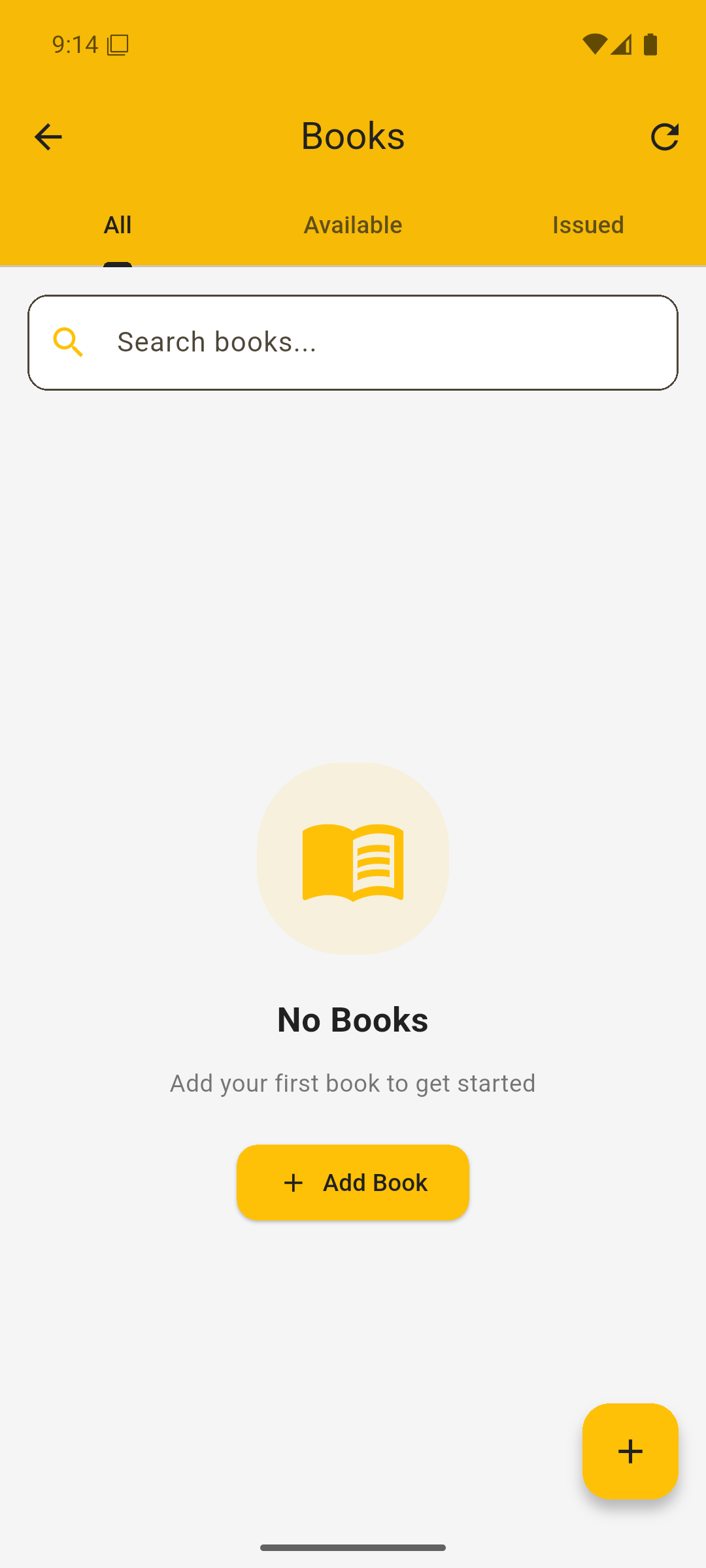
Keep a catalog of your books and track issue & return with All, Available and Issued tabs. Add a book with its name, type, quantity and status in a couple of taps.

  • All / Available / Issued tabs
  • Track what's issued and what's on the shelf
Books catalog with All, Available and Issued tabs
05 — REPORTS

Reports & analytics that add up for you

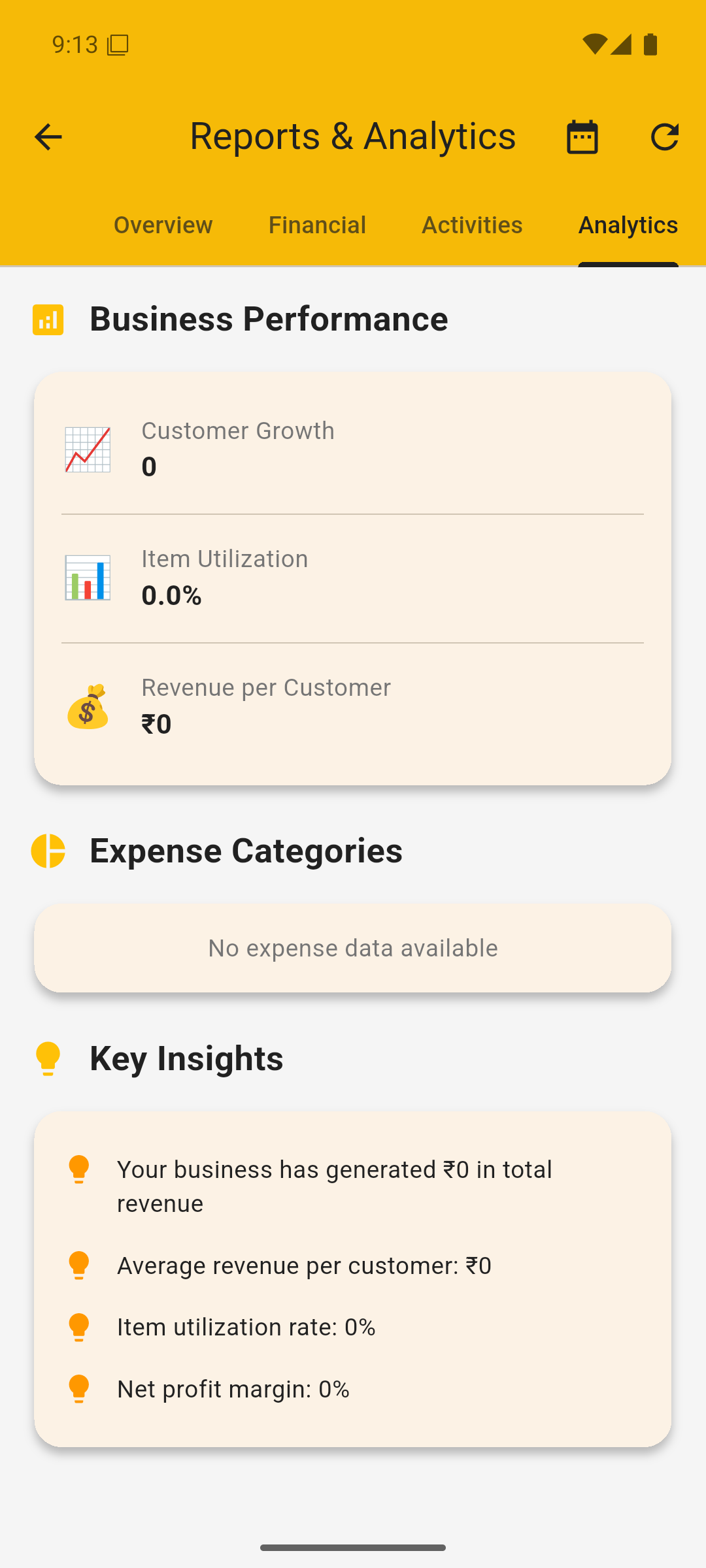
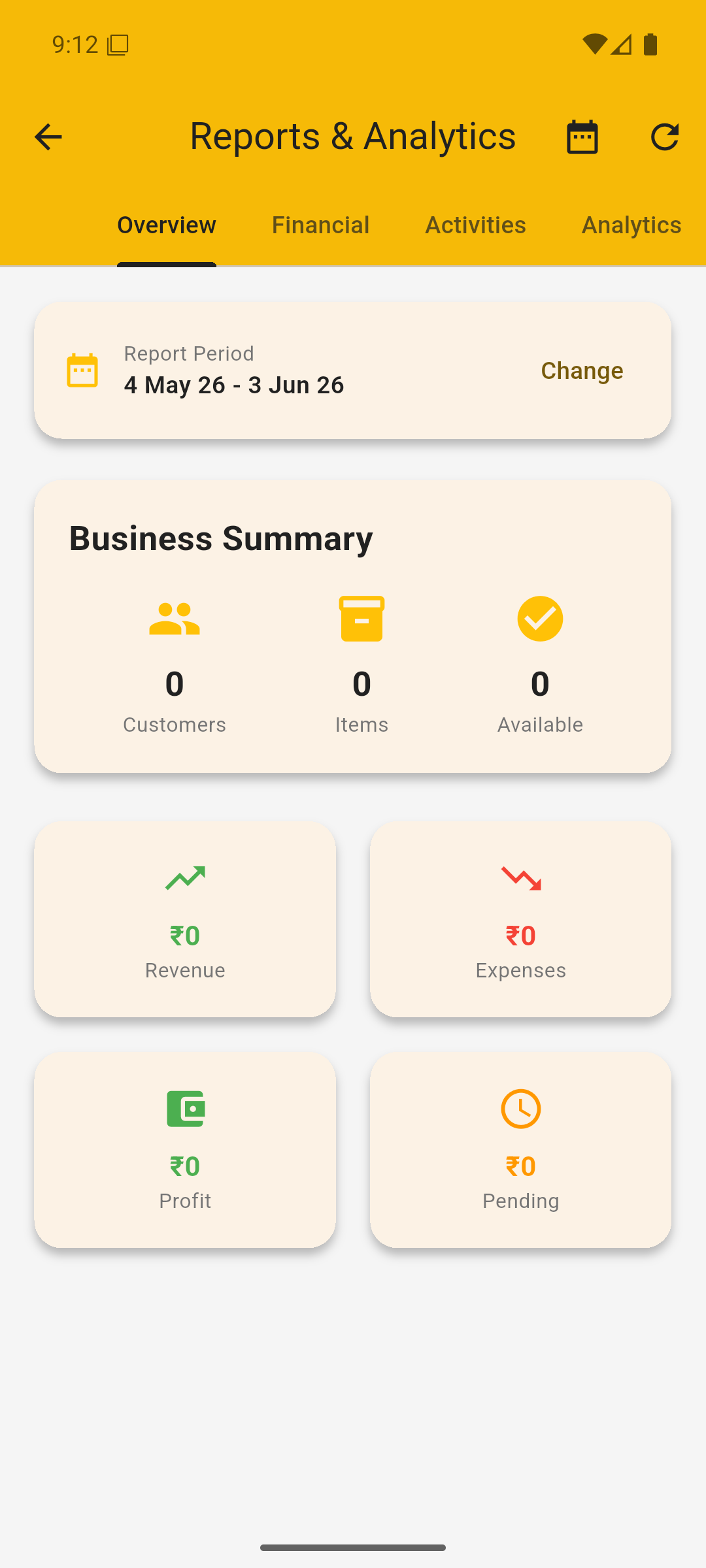
Four tabs — Overview, Financial, Activities and Analytics — show revenue, expenses, profit and pending fees in ₹, plus business performance, customer growth and key insights.

  • Revenue, expenses, profit & pending
  • Selectable report period
Analytics tab with business performance and key insights
06 — YOUR DATA

Export, import & backup — it's your data

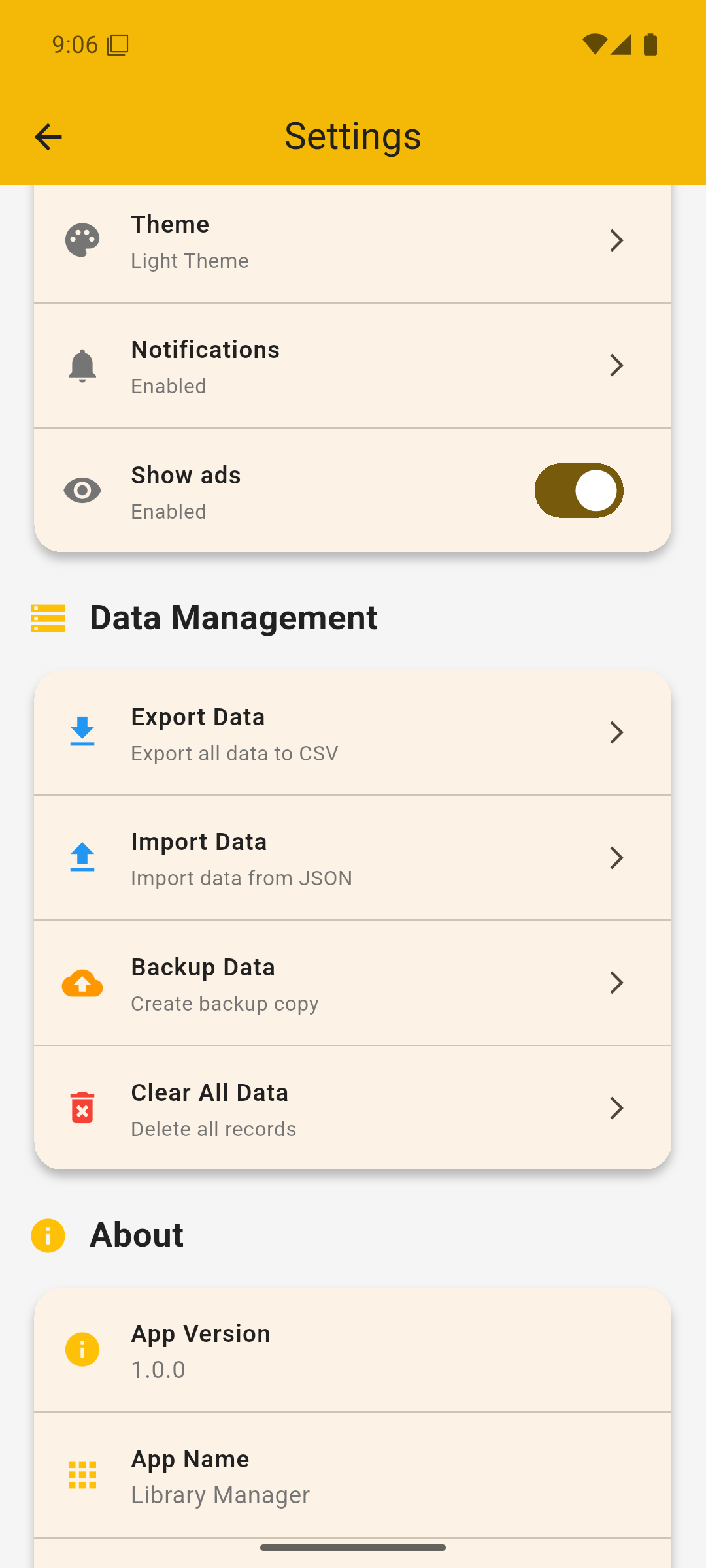
Export everything to CSV, import from JSON, create a backup copy, or clear all data anytime. With Premium your data is kept permanently, so nothing is ever locked away.

  • Export to CSV, import from JSON, backup
  • Light & dark theme, notifications
Data management with export to CSV, import and backup
Get started in minutes

Up and running in 3 steps

1

Download the app

Get it free from Google Play or the App Store. Start with a 12-hour demo — no activation code needed.

2

Set up your library

Add your library name, type and contact details, then create your seats with Quick Setup.

3

Start managing

Add members, record fees, manage books and watch your reports update — all from your phone.

A closer look

See the app in action

Real screens from AVS Library Manager. Swipe through.

Dashboard
Dashboard
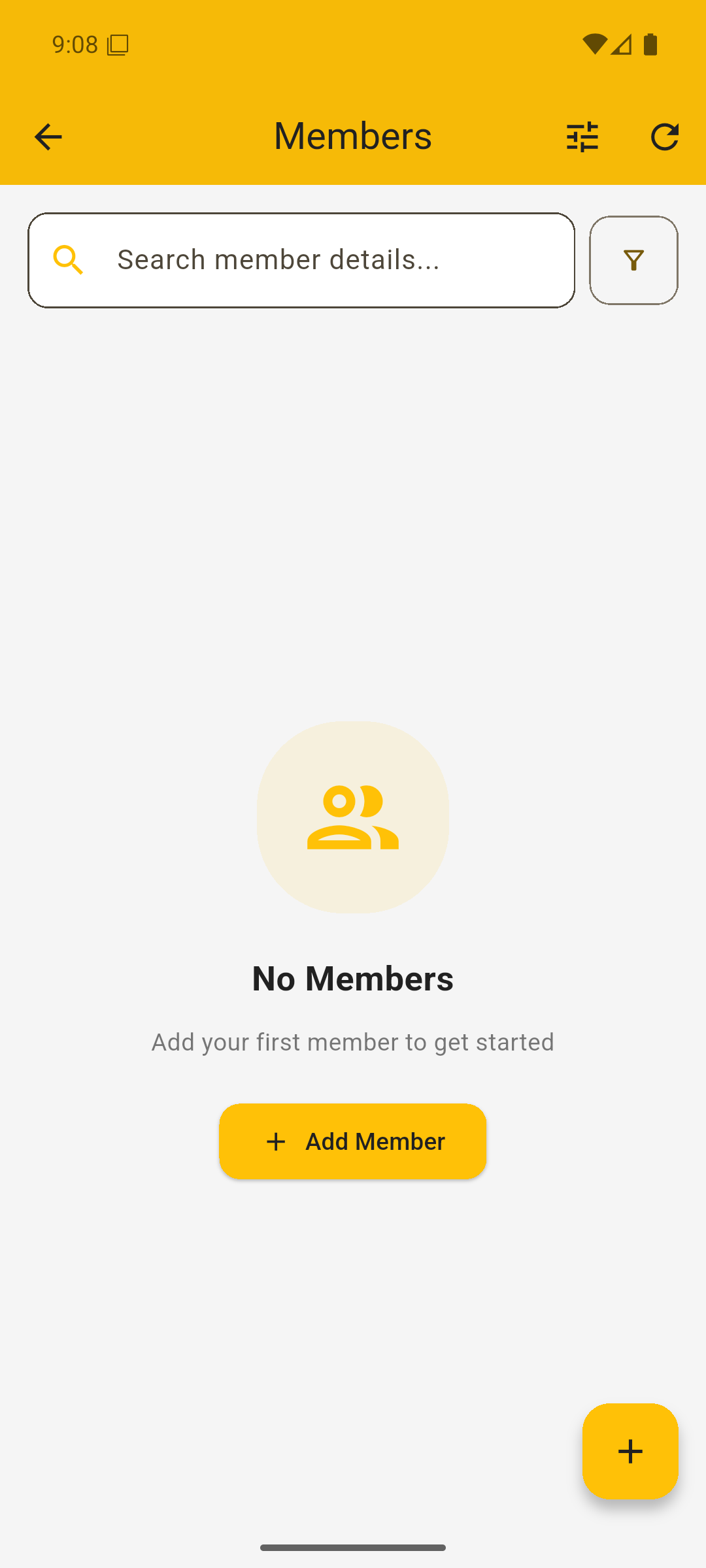
Members
Members
Payments
Payments
Seats
Seats
Books
Books
Reports overview
Reports
Member fields setup
Custom fields
Why owners choose it

Built for the way libraries really run

Attendance tracking

Mark daily check-in and check-out for every member and see a full monthly attendance calendar — no paper register.

Due dates & reminders

Schedule monthly fee due dates, accept full or partial payments, and stay on top of who still owes what.

Cloud backup

Back up your library to the cloud so your members, seats and fees are safe — even if you change your phone.

For study libraries & reading rooms

Seat-based, fee-based libraries — self-study halls, coaching libraries and community libraries alike.

Your data, your control

Export to CSV or JSON and back up anytime. With Premium your records are kept permanently.

Android & iOS

Use it on any Android or iPhone. Light and dark themes built in, so it's easy on the eyes day or night.

Made for India (₹)

Fees, revenue and reports all in rupees, with copy and flows designed for Indian libraries.

Know your numbers

Revenue, expenses, profit and growth calculated for you — no spreadsheets required.

Try free for 12 hours

Explore everything in the demo with no code. Go Premium when you're ready to keep your data.

Simple pricing

Try it free, then own it for life

Start with a full-access demo. Upgrade once with a one-time payment — no monthly fees.

Demo

Full access to explore, no activation code needed.

Freefor 12 hours
  • Every feature unlocked
  • No activation code required
  • Perfect for a quick trial
  • Demo data is temporary
Download & try free

One-time ₹2,000 for lifetime access. Activate Premium inside the app with your code.

Start managing your library today.

Download AVS Library Manager and set up your library in minutes. Free 12-hour demo — no code needed.

Android & iOS · Free 12-hour demo · ₹2,000 lifetime Premium
FAQ

Questions, answered

What's included in the free demo?
The demo gives you 12 hours of full access to every feature — members, seats, fees, books and reports — with no activation code. It's the easiest way to see if AVS Library Manager fits your library. Note that demo data is temporary.
How is Premium activated, and what does it cost?
Premium is a one-time payment of ₹2,000 for lifetime access. You activate it inside the app by entering your activation code on the Premium Access screen — after that, your data is kept permanently.
Is my data safe, and can I export it?
Yes. With Premium your records are kept permanently, and you're always in control — export everything to CSV, import from JSON, or create a backup copy anytime from Settings → Data Management.
Which library types is it for?
It's ideal for seat-based, fee-based libraries — study libraries, reading rooms, self-study halls and coaching libraries — as well as general, school, college and community libraries. You can pick your library type during setup.
Is it available on both Android and iOS?
Yes — AVS Library Manager is available on both Google Play and the App Store, so you can run your library from any Android phone or iPhone.

Download App